Thursday, November 12, 2020

Digital Citizenship, Privacy, Websites and More!

Happy Thursday Digital Literacy families!  This week in class, your students are learning about Digital Citizenship, and I wanted to share some information that I think is helpful when you are working with your student to stay safe, respectful and responsible online. This past summer,  I spent a lot of time reflecting on the work that we did as a school and community with Virtual Learning. I have been working on a certification to support my work as a teacher of technology called the ISTE Certification .  One of the issues that gave me pause is surrounding Digital Citizenship and the resources we are using online.  As we watch out students navigate an online world, it is often important to think about privacy and the type of information that websites, including educational websites, are gathering about its users. As part of my class, I did research on three different common educational websites that we use, and the information that the websites collect. I wanted to share my research with everyone this week, because it ties in to what we are learning in class, and it may spark you to explore some new resources! 


Interland: Interland, according to its creators "is an adventure-packed online game that makes learning about digital safety and citizenship interactive and fun. Here, kids will help their fellow Internauts combat badly behaved hackers, phishers, oversharers, and bullies by practicing the skills they need to be good digital citizens." It is a game that has been played in many classrooms, including Digital Literacy!  Interland's privacy document includes a great tutorial about Cookies (A cookie is a small piece of text sent to your browser by a website you visit) if you are interested in learning more. From their tutorial on how they are collecting data, I delved into what is actually being collected when you log on.  As students play, there is less information collected than on other sites I found. Common Sense Media, which is an excellent resource for parents looking to find more information about privacy rating for websites, has not yet rated Interland, but the parent users have given it a 5 star rating based on what they know about the Cookies from the site.  Google's privacy document on Interland says that they collect "information to help students maintain their levels in the game, age and demographic information, and information that might help identify additional educational opportunities for students interested in playing Interland." The last part of their privacy policy gave me pause, though one can expect that a free game with such good content would be used for marketing other apps and games by collecting information.  My vote: Interland is a safe game, and collects a minimum amount of personal data from your child. 

Exploratorium: Exploratorium is an actual museum in California, but it just happens to have a website that goes into all sorts of interesting science-related topics, and is a great resource for kids who want to explore some experiments on their own.  Exploratorium is rated 4 Star for privacy by Common Sense Media, and I did a bit of exploring on my own to make sense of the information they are collecting.  In their privacy policy, this site says that it "is collecting data on what pages are used, where you explore, and how long you stay on certain topics."  For me, this is information that I can understand that an organization would want.  What students are most interested in and where they are spending the most time helps form what new content will be updated.  As a teacher and a parent, this is helpful to know.  In this sites privacy policy it collects more personal information such as email addresses, mailing addresses, age, demographics, and other identifiers ONLY if your student wants to access parts of the site that require you to put in your information.  As a choice-based submission, this site's privacy policy is great for kids.  Talk with your student about adding information online about themselves, and consider coming up with a family policy about when they should ask before adding addresses, age, birthday or other identifying information.  Check out this site, however!  There are great activities for students of all ages, and things you can explore as a family. 

So I leave you today with these things to think about as your students spends time online.  I know that I rarely actually read the long, fine print in Privacy policies, but hopefully this information that I shared with you today might make you curious enough to take a peek.  The following questions I borrowed from Common Sense Media as a way of evaluating the websites that your students are looking at: 
1. Does it collect person information, and is that information then protected with a password?
2. Does the site tell you when it is collecting this information? 
3. Does that data stay with the website, or can it be shared with marketing (third-party)? 4. Does it collect your location?
5. Is the website collecting information from children under 13?

While you may not always think about your privacy, it doesn't hurt to check out what is happening!  As always, shoot me an email with any questions that you may have about this information, and hopefully this post will start a great conversation about all the Digital Citizenship topics we have been talking about in class too!


Monday, October 5, 2020

Welcome to Digital Literacy (Virtual Edition)!

 Welcome to Digital Literacy!  There is so much information that is coming at parents right now, so I will keep my greeting as short and to the point as I can, and continue to answer all those great questions that you have as they come up.

First, my name is Angela Flickinger-Pierce, or Ms. Pierce, and this is my third year teaching Digital Literacy at DAMS.  Many of your students know me already, as some of your students were part of my 2nd grade WES class when I was a student teacher. I can't believe that I am lucky enough to have your students back!!!

As 5th graders, your student will explore many different types of technology including robotics, the engineering design process, graphic design, coding and online safety and digital citizenship. With the virtual start to the school year, our Google Classroom will look just like the Google classroom of their homeroom teacher, and we will share information in a similar way. Additionally, to help your student stay organized this year with Virtual Learning, I will be posting a "Week at a Glance" document on the stream that will show exactly what the students will be doing each day for the week. The rotations of Encore this year are 29 days long.  The "Week at a Glance" will include all of the links that students will need for the week. Assignments will all have due dates and be found under the weekly topics.  Your student will get one to two project grades each week for the rotation. Grades are based on showing understanding of the ISTE standards, and are 4,3,2,1, with 4 being advanced and 1 showing that the student has not yet showed their understanding of the concept. Students with a 1 or 2 will be greatly encouraged to continue to work towards a 3, and extra one-on- one help is ALWAYS available. Just let me know. 

Details about our Encore rotations and classes can be found in this Encore Newsletter.  It gives details about the start of the school year, a video introducing all of the Encore teachers, and has contact and office hour information for all of the Encore teachers.  Please let me know if you have any information about the newsletter. 

Finally, I will use this blog to share information throughout the rotation.  You can look back on prior posts to see resources for a number of different activity ideas, staying safe online, and past student projects.

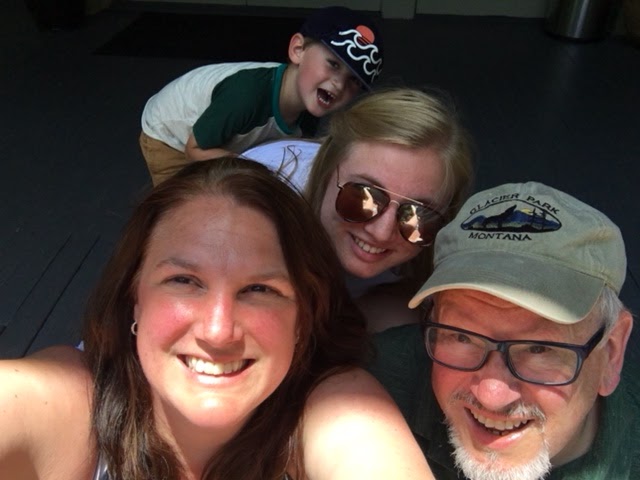
I know that this is a different type of school year, but we are going to make this work and learn, and I am here to help you every step of the way!  I will leave you with pictures of my children from this summer. We spent most of our time outside, or gardening and baking.  My daughter Rachel is a senior this year and applying to study Marine Science at the University of Hawaii at Hilo, and my son Henry is 5 and is attending 4K this year. 

Sunday, April 26, 2020

A collection of good jokes

Last week, I challenged my wonderful 5th grade students to do their best to make me laugh!  

I have included a few of my favorites below, but more will come out in weeks to come.  

I just heard about a restaurant called Karma. There is no menu.  You get what you deserve...

 image.png

When do astronauts eat???  At launch-time!

So my friends said "what rhymes with orange..." I said..."No it doesn't..."

How do trees get into a Chromebook?  They log on...

Beyond jokes, everyone has been doing fantastic work on their meme projects. This week we are going to be finishing our memes.  Grades for Empowered Learner will be posted this week, based on everyone's hard work on their Code.org and Meme projects.  An empowered learner is one that can take an active role in their learning, use technology and make choices to show what they know and what they can create.  A behavior grade for these two projects will also be posted. Remember these grades serve as a check-in, but will be entered as no-count.  These grades cannot bring down anyone's great Digital Literacy grade, but can be counted to bring up a grade. 

I miss all of my students so much!  It probably goes without saying, but it is my students that make me a teacher.  While I see everyone during our office hours, and I have been talking with everyone through email, I still very much miss seeing everyone's smiling faces and hearing your ideas in person.  Stay strong and safe!


Friday, March 27, 2020

The end of our first week of Virtual Learning!

Phew!  We made it through our first week of Virtual Learning!  I have seen such amazing work being done on your coding projects already. For those of you who have had a chance to join me during my office hours, thank you!  It helps to see everyone, and hear about the things that you have been working on. Remember, if you finished one project, you can always explore a second one. 

I have a couple of important things to share with you today;

1. As a follow-up to Mr. Becker's announcement, we WILL NOT be switching classes when the quarter ends.  You will be staying part of Digital Literacy until we return to in-person school.  You may have questions about this, and I am happy to answer all of them!

2. You will have Monday and Tuesday after spring break to work on your Coding Projects.  If you happen to finish before, you will only need to work on your daily warm-ups for Digital Literacy.

3. After our Coding project is finished, we will start a What do you Meme project which I will explain when we return from break. 

Thank you to everyone!  You have taken a new situation, and made it work.  Have a great break.  I hope that you can enjoy some time outside.  Let's all hope for nicer weather!!!

Monday, March 23, 2020

Happy first day of Virtual Learning!

Happy Monday!  I hope that everyone is feeling good about the work that we will be completing in class.  A couple of thoughts based on common questions that I have already received:

1. Remember, when working on your coding projects in Code.org, the "forever" block makes whatever you put inside of it go on, well, forever.  It is a loop and it is helpful when you have an action or event that you want to repeat. 

2. It is helpful to name your projects as you are working on them.  In the upper left hand corner, click on the box that says "Untitled" and rename your project something that makes sense.  That way, when you go back into your list of projects, you can tell which project is which without opening all of those projects up.

I will leave you with the first of many memes you will see that I have created using my dog George.  George is a chihuahua, and much like the Grumpy Cat, he can sometimes have a perpetual frown. Happy Monday and do not hesitate to reach out with questions!


Monday, March 16, 2020

Virtual Learning and Joke of the Week

I know as a teacher and a mom, much of my time lately has been spent worrying about the many changes that we are facing as a community, school and country.  As your student's Digital Literacy teacher, my job is to make the virtual learning that we will be doing as stress free as possible. I will be posting answers to common questions here on my blog, but also know that I am available for questions during my posted office hours of 9-10 am daily in Google Meet and by email throughout the day.  My office hours are pre-scheduled, and your student will be able to follow the link that I will share in Google Classroom to access me during my office hours each day. Additionally, all of the classroom work that I will be sharing will be through Google Classroom.  Your student has been using Google Classroom for my class since the beginning of the quarter, and will be using the same classroom for virtual learning.  


On Thursday, I will be introducing some coding work that we will be doing for Digital Literacy.  The last day of the quarter is two days after our scheduled Spring Break.  The students were able to finish up their robots last week, and we were even able to have our battle!  Below is a picture of the students working on their "Robotic Design Challenge Trials". 

The coding project that we will be working on will be in Code.org.  Your student can access Code.org from Clever, but I have also included a link here.   There will be a link in your student's Google Classroom stream as well.  When your student logs in, choose the "Sign in with Google" option, and then they will find the Express Course 2019 lessons they have been assigned.  Along with this coding practice, students will have the opportunity to work on vocabulary related to coding, and read an article about how coding is being used throughout the world.

Again, please let me know if you have any questions about anything-I am here to support you and your student throughout this entire process. 

I always post a joke of the week in my classroom, so instead of having our joke on our whiteboard, I will be posting our jokes here!  This week's joke:

Why is March the most popular month to use a trampoline?
Answer: It’s spring-time!


I said I posted jokes, I didn't say they were funny...stay safe and be well!

Monday, January 27, 2020

It's the third quarter already???? How did that happen!  From time to time, I will use this blog to share great student work, pictures, updates, announcements and reminders.  Stay tuned for information!


If you did not catch the letter I sent home with your student today, and missed this post from a previous quarter, here is a short introduction of myself: My name is Angela Flickinger-Pierce, and this is my second year of teaching at the Deforest Area Middle School.  I love it here!  I love the students, the other teachers, the community, the parents,  I just love everything about being here!  Before I was a teacher, I worked as a Marketing and Fund Development Director for non-profits in the Madison area.  I realized my true passion was working with children, and I went back to school to become a teacher.  I was certified in 2018, and just completed my Masters of Education this past May.  I live in Poynette with my husband, daughter, son, chihuahuas and chickens. My human family (minus chickens and chihuahuas) can be seen below!


Your student will have Digital Literacy for one quarter. During the quarter we will explore:
-Digital Citizenship, or learning how to be safe online
-Coding, using Tynker and Code.org
-Robotics
-Graphic Design 
-Engineering Design Process 

We will also work on everyday skills such as vocabulary, typing, collaboration, reading comprehension, and becoming learners that problem-solve, think creatively and know how to  independently attack whatever work we are doing. Digital Literacy is a Standards Based class, meaning that the grades earned in this class show what we are able to do according to a standard or skill.  The standards used for grading in this class are the ISTE Standards, or International Society for Technology Education linked here. We will start our quarter by breaking apart these standards, and thinking about what each of these standards means.  Every project completed by your student will include a rubric outlining the ISTE standards that they will be graded on.  You may have questions about these standards-please feel free to ask!  

I will be sending a parent letter home with your students on the first day of class with some other basic information about homework, missing assignments, one-on-one mentoring or tutoring time, and grades.  Additionally, I will be sending home a document with a Digital Literacy Wish List and Volunteer form.  I welcome anyone willing to give their time, from ten minutes to hours!  If you are at all interested in getting involved in the classroom, please fill out the form.  I have linked the form here as well. 

Finally, as we start out this new and fresh school year, I just want to say that your student's hopes, dreams, happiness, comfort and sense of self is my first priority.  If there is anything that you would like me to know about your student, please reach out!  I am here before and after school and can be reached by email and phone. It's going to be a great year!

Tuesday, November 5, 2019

The End of a Quarter...

What???? The first quarter is almost over???  I have been hearing lots of exclamations such as that today, and I have been preparing the students for the last day of our Quarter tomorrow.  We have had a great time exploring technology together, and I am sad to see it end.  

We started out practicing our presentation skills using Google Slides.  We learned about how to do research, and share ideas about a technology that we chose.  The "My Favorite Technology" project showed off our skills, and also shared some fun facts about who we are as people!  It was a great way to get to know each other. 

We then worked on becoming Safe, Responsible and Respectful online citizens with our Digital Citizenship unit.  We used Padlet to create a gallery of interesting facts about being safe online, and reflections on how we think technology has changed our lives.  We also created our own fun comic strip using Make Believe Comics.  Check it out sometime-it is a super fun way to show what we learned!  

After learning so much about being safe online, we launched right into building our Robots! It has been a blast watching the students work to complete the chassis of their robot, and exploring how to engineer an extension for it.    The students were challenged to use the Engineering Design Process to complete an arm for their robot that would move cups into a collection area on our robotics track.  We learned about the Criteria and Constraints, and we put our robots through 3 trials to test out our extensions.  Part of the challenge of the robots is driving, so we did plenty of driving practice too!

To finish off our quarter, I have been introducing the students to Tynker.  Tynker is an online coding program that has games, lessons and seasonal projects that are fun to do as a family!  The link to Tynker is included here, but your student also has access to the Tynker classes I created through their Google Classroom class.  Let me know if you need more suggestions for coding practice and fun-I have lots of ideas!

Finally, throughout the quarter we have been practicing those important fundamental skills such as typing, vocabulary, reading comprehension, and coding.  Your student can continue their hard work in Typing Club, Code.org, Quizlet and Newsela.  If they are looking for something to do, they can always start there!

Please let me know if you have any questions and I hope to see all of your students join me at Robotics club after school.

Tuesday, September 17, 2019

A Wild First Couple of Weeks!

We are just now into our third week of school, and we have already learned so much in 5th grade digital literacy!  

The students have been working in all of our different Beginning Bytes (our warm-ups), and have been learning how to log into different programs using their school Google account.  We have been working in:

-Readworks
-Typing Club
-Code.org
-Quizlet.com

If you happen to have computer access at home, you are welcome to follow the links above, and work with your student on any of these different warm-up activities. This first couple of weeks, we have also been working on using Google Classroom.  Google classroom allows students to see a stream of their assignments when they log into their Chromebooks and get into their classroom. Many of the teachers have been using Google Classroom, and it helps the students stay on top of their work.  If you would like to see more of your students work through Google Classroom, you are welcome to email me and I can walk you through how you enroll as a parent or guardian in the same class as your student. 

This week, we finished our first projects in 5th grade, the "My Favorite Technology" slideshows using Google Slides.  The students shared their slideshows with the students at their table groups, and wrote a reflection on the process.  Many of these slideshows are great, and I have included links to a few of these below. 

Hour 2 Example
Hour 1 Example
Hour 3 Example

Last but not least, this week we will be starting our unit on Digital Citizenship.  It is so important in this digitally driven world to learn about how to be safe, responsible and respectful.  Today, we started by brainstorming the differences between offline and online communities.  I heard many great ideas from your students! This unit will include many great tips to becoming good digital citizens while working with computers and other technology. 

As always, you are welcome to call or email me with any questions you may have! 

Wednesday, August 28, 2019

Welcome to 5th Grade Digital Literacy!

I can hardly believe that the beginning of the 2019-20 school year is just around the corner! I am so

excited to meet all of my new 5th grade students!

A short introduction of myself: My name is Angela Flickinger-Pierce, and this is my second year of teaching at the Deforest Area Middle School.  I love it here!  I love the students, the other teachers, the community, the parents,  I just love everything about being here!  Before I was a teacher, I worked as a Marketing and Fund Development Director for non-profits in the Madison area.  I realized my true passion was working with children, and I went back to school to become a teacher.  I was certified in 2018, and just completed my Masters of Education this past May.  I live in Poynette with my husband, daughter, son, chihuahuas and chickens. My human family (minus chickens and chihuahuas) can be seen below!


Your student will have Digital Literacy for one quarter. During the quarter we will explore:
-Digital Citizenship, or learning how to be safe online
-Coding, using Tynker and Code.org
-Robotics
-Graphic Design 
-Engineering Design Process 

We will also work on everyday skills such as vocabulary, typing, collaboration, reading comprehension, and becoming learners that problem-solve, think creatively and know how to  independently attack whatever work we are doing. Digital Literacy is a Standards Based class, meaning that the grades earned in this class show what we are able to do according to a standard or skill.  The standards used for grading in this class are the ISTE Standards, or International Society for Technology Education linked here. We will start our quarter by breaking apart these standards, and thinking about what each of these standards means.  Every project completed by your student will include a rubric outlining the ISTE standards that they will be graded on.  You may have questions about these standards-please feel free to ask!  
Image result for iste standards


I will be sending a parent letter home with your students on the first day of class with some other basic information about homework, missing assignments, one-on-one mentoring or tutoring time, and grades.  Additionally, I will be sending home a document with a Digital Literacy Wish List and Volunteer form.  I welcome anyone willing to give their time, from ten minutes to hours!  If you are at all interested in getting involved in the classroom, please fill out the form.  I have linked the form here as well. 

Finally, as we start out this new and fresh school year, I just want to say that your student's hopes, dreams, happiness, comfort and sense of self is my first priority.  If there is anything that you would like me to know about your student, please reach out!  I am here before and after school and can be reached by email and phone. It's going to be a great year!

Friday, May 3, 2019

A Robot Chassis is born...to drive!

It has been a great week here in Digital Literacy!  Most of our groups have built the chassis of their robot, and have begun practicing the very tricky racetrack in our room designed by the students themselves.  The color sensors on the robots stop the chassis when they run over the color red-which is why our room is taped up with red duct tape! The students have been very excited to finally drive their creations, and this week was practice week in preparation for their race next week.

Besides all the robotics that we have been doing, we have continued to work on our fundamental skills of vocabulary, typing, and reading comprehension.  This week we worked on an article about scientists who study tornadoes.  Some of the students were wondering how that tied into robots, and we had a great discussion about the purpose of robots, and how scientists might be able to collect data in a safer way during a storm with the help of a robot that could be guided by someone who is farther away from a tornado.  We all agreed that it is best to be FAR away from tornadoes if possible!!!!

If there are any parents that might like to come and help with our robot race, please let me know!  I am sure the students would love to have an audience.  They are very proud of the work that they have been doing. 


Thursday, April 25, 2019

Having fun with Robots!!!!!

It has been a little while since I last posted a blog update.  I apologize for not keeping up to date!  So much is going on here!  With the warmer weather, it seems like we are racing towards the end of the year, and it is hard to keep up!

We have been working on Robots for the past few weeks now. There has been so much excitement with the building and testing of our sensors.  To build our testbed in class, we were assigned our Robotics teams, and we moved to new spots.  Every team was able to pick their own name, and we had some fun ones. The testbed we built helped us learn how to work as a group, and  was good practice working on a team, listening, cooperating, and compromising when it comes to building our robots together.  We also talked about our personal responsibility for making sure we do not lose or damage our robotics parts.  There were some great discussions on ways that we can work together to take care of these great robot kits!  

We have also been discussing the different between an INPUT and an OUTPUT.  Our robots come with a touch sensor and a color sensor.  We tested what each of these sensors did and what information was going into the system, and what was happening next.  As we build our robots, we will be thinking about these INPUTS and OUTPUTS and how they are helping our robots work. 

This week, we started building the chassis to our robot.  The chassis is the base of the robot that has the wheels and supports the same way a car chassis holds up a car.  It has been great seeing how the students are working together and are excited about what they are creating! Below are a few pictures from all of my classes.  Ask your students about their work!  They love to share! 


Wednesday, February 6, 2019

We are coding an Ecosystem? What???

It has been hard to get back into our daily routine with all the snow days, but we are getting there!  There is so much learning that still needs to be done, so it is best if we just get at it!

This week in 5th Grade Digital Literacy, we have continued to work on our coding projects in Tynker. For extra practice, a few classes have worked on debugging existing code in Tynker for the Groggy Groundhog Day project.  Debugging gives the students a valuable experience of looking at existing code and problem-solving to find out what went wrong.  Also, it was fun to see the debugged program predict an early spring!  

We have also started to code our Dino Ecosystem.  This program is tricky, as we are working on parameters that have user input.  This means that if you pick up the finished code, you as the person using the program, will have to put in different numbers for our parameters.  In our Dino Ecosystem, that means that the user gets to pick the number of bushes, the number of t-rex, and the number of triceratops!  

In class, we have also been working on our vocabulary skills.  Many of the words that we are studying, can be helpful in other classes.  Some of the students are struggling with words such as simulation, programming, platform, and modeling.  Quizlet is the fun and interactive way that we work with our vocab, and can be accessed at home or at the public library.  Consider giving your student a chance for some extra vocab practice!  They can race your time on the Match vocabulary game (just ask your student about it...they will tell you all about it, as well as their fastest score!)

In a few weeks, we will be starting on the Robotics unit.  I will be sending out a parent letter by email regarding the framework, and some classroom expectations.  Please watch for that email, and contact me with any questions that you might have!  


Sunday, January 27, 2019

Playing Dodgeball in Tynker!

Tomorrow's snow day has given me the perfect opportunity to reflect back on our past week of 5th Grade Digital Literacy.  Last week, we finished up our Dodgeball games that we coded in Tynker using our tablets.  We have continued to practice good Pair Programming rules, and the process of working together to create code is becoming more natural to the students. 

The Dodgeball games were a great way to introduce Tynker to the students.  Each pair added actors, or the characters, a background and another object such as a treasure chest.  Each "actor" needing coding, and the students worked to have their characters move about the screen of the tablet when the tablet is being tilted.  We had a great discussion about the gyroscope sensor in the tablets and in smart phones.  It is what makes the tablet know that it is being tilted, and therefore, makes the game possible!  Ask your student about how this works and see what they have to say!

Our Dodgeball games have been so much fun to see.  There have been may customized versions of the game that the students have come up with, including some hand drawn characters.  I am so impressed with the focus and creativity that these 5th graders are showing.  You as families and loved ones should be so proud!

This week, we will begin a new coding project.  Again using Tynker, we will be exploring the idea of setting parameters in a game, and coding user input to set these parameters by creating a "Dinosaur Ecosystem."  This is a trickier bit of code, and may cause some frustration.  The students will be working independently on this program, but it doesn't mean that we won't be using our new collaboration skills to help each other out, and move forward!


All this snow and cold is keeping everyone inside!  If you have access to a computer on these snow days, consider having your student work on this Ice Art project in Tynker!  It is a great way to practice your coding and problem solving skills!

Tuesday, January 8, 2019

Back at work and learning Tynker!

It is our first full week back after our break, and we are moving full steam ahead with our coding projects!  Last week, we learned the basics of using Tynker on our tablets, by working through a video as a class, and exploring the different functions of Tynker with our partners.  
We also had an introductory lesson on coordinate planes, and the (x,y) system.  

A few of the students were puzzled as to why we were learning such a "mathy" thing in Digital Literacy!  I thought this was an excellent question, and it gave us a great opportunity to talk about how many of our classroom subjects are related, and sometimes in the early steps of a project, it is hard to understand what each piece of the puzzle means, or why it is important.  As a class, we will be completing three different computer programs using Tynker.  In Tynker, when you place an actor, or character on the coding screen called the stage, it is placed by the coordinates, or (x,y) values.  It is important to learn about this grid system as our codes become more complicated, so that we can figure out how to make our actors move in specific ways on our stage.  

This week, we will be creating a Dodgeball game in Tynker using our tablets.  We will be practicing Pair Programming, which is a technique where programmers work together at one workstation. One, the driver, writes code while the other, the navigator, reviews each line of code as it is typed in. The two programmers switch roles frequently.  This is great way to learn new programs, and helps new coders catch mistakes, and make corrections quickly.  It is also a great way to learn how to be a great partner.  We will be practicing Pair Programming throughout the rest of the year. 

Wednesday, December 19, 2018

It's almost the winter break holiday...and you can feel the energy in the air!  This week, we are learning more about Modeling and Simulations, and exploring a real simulation about how disease spreads.   Together, we are using the iPads to explore the app SpeedSIM.  If you are interested in checking it out as well, you can download it here for Android devices, or you can search for SpeedSIM in the Apple App store.   

The app was developed by University of Maine associate professor David Hiebeler, and we are using the SIRS or Susceptible-Infected-Susceptible cycle to talk about why computer simulations are sometimes important for scientists to explore topics that may not be possible to explore in a physical experiment.  We used the example that we could not use other students to do a science experiment for how the flu spread in our school because it would take too long, AND it isn't nice, ethical, or OK to get your classmates sick for an experiment!  Which is why we use computer simulations where we can change parameters to see different ways that diseases can spread.  In the next few weeks, the students will be creating their own simulation using Tynker, a coding app for kids.   

Over break, if you have access to a computer at home or at the library, students can keep up with their techie skills by working in a few suggested websites!  

1. Tynker  Your student may want to get a headstart on learning block coding on this website.  We will be using the app version of Tynker, so if you would like you can search for the Tynker app that works on both an Android and Apple tablet or phone. 
2. www.code.org  The students have all been working on coding already, and can see their progress by logging in with their Google account. 
3. Typing Club  Here you can access the Typing Practice lessons that your student uses.  
4.Scratch Coding Games  Coding is super fun when working in Scratch! This website allows you to create your own project or game.  

You don't have to be alone when you use technology.  If you have a device at home, work with your students to explore coding!  We have been learning so many new things, and it is great to give your student the opportunity to share with their family and friends. 

Wednesday, December 12, 2018

Our class is moving forward by looking at the different ways that diseases spread, and how we can track down who "patient zero" is, or the person that starts the spread of a communicable disease.  There have been many questions as to why we are looking at this subject!  It is very reasonable to ask, and I have an answer!   

To further build on the way we think about a problem, we have been exploring the spread of a disease through simulations and experiments that we have actually done.  Last week and early this week, we finished our small group experiment to see which soap works best for removing fake glitter "germ lotion" from our hands.  We worked through the Scientific Inquiry Process, and wrote conclusions based on the data we collected with our experiment. So what does this have to do with technology and Digital Literacy you might ask?  Sometimes in our learning, the context for what we are about to do doesn't seem clear until we get a little further along.  With this unit, that just very well might be true.  This week, we started a new unit "Infections/Detections Modeling and Simulations".  This unit is looking at computer simulations, one of which is the spread of disease.  Without all of our earlier exploration on the subject, we wouldn't know what we were really looking at when we started to see these computer simulations!  

One of the apps that we will be using this week is called SpeedSIM.  If you have a tablet or phone at home that you would be willing to download the app on, it would be a great app to check out with your student.  I have included the link to the Android version of the app.   You can change the parameters (another great vocab word we have been working on...) to see how the outcome in the simulation changes.   It is a great way to explore technology and science with your student!

Image result for project lead the way scientific inquiry process
Scientific Inquiry Process

Monday, November 26, 2018

We are back at our important work this week after our long holiday weekend! Now that we are settling back into our room, there are many updates to share. 

Last week, we started a new project in the program called Project Lead the Way.  We are working a project called "Infections/Detections" and are learning about how to discover patient zero using a fake germ powder.  We spread the germs, and checked each other's hands using a UV light....it was very fun and exciting to see where the "germs" had gone!  This week we will be working more with Project Lead the Way, and we will be experimenting with different ways to "Prevent the Spread." 

I wanted to share with you also, a presentation that a group of students did for our second project on research.  The goal of the Timeline project was to learn more about how to safely and correctly find and cite sources.  It also gave us a chance to look at what makes a good resource, and what is a not so good resource.  Each group of students was given a timeline research point to work with.  The presentation included with this blog post was done by a group of students who had to look at how and when Youtube started.  

We will continue to do our typing, reading and vocabulary practice in the weeks to come.  Last week, we also added some coding practice with Code.org.  Please let me know if you would like information on how to access these fun and educational activities at home!

Check out this great example of our Timeline Research Slide Show Project!


Thursday, October 25, 2018

We had a short but productive and fun week!  We are working on adding elements to our Padlet Galleries about Digital Citizenship.  This week, we added our thoughts on how we think that Social Media has changed the world.  I heard some fantastic answers about how people across the world can talk, how news travels fast, and how you can share your personal story to a larger audience.   We also practiced our Digital Citizenship vocabulary in Quizlet, and played a game in Quizlet called Quizlet Live!  Below is a picture of the students concentrating on finding the correct answer during the game.  Ask your student about it-they really enjoyed it and asked to play again immediately!  Some of the words we are learning about include plagiarism, copyright, fair use, citizenship, and wireless fidelity (wifi). 

It was nice to see those of you who visited during conferences!  I love being able to share how well your student is doing, and it was wonderful to meet you in person.   If you missed conferences, you can always schedule a time to meet with me after school.  I am here until 4:30 most nights.  

Next week we will continue to learn about Digital Citizenship by exploring Electronic Communication and Copyright Laws.  We will be creating a comic strip about being a safe digital citizen to add to our Padlet Gallery as well. 

Enjoy your long weekend!


Saturday, October 13, 2018

The weather has officially turned, and we are trotting off towards winter!  Everyone should see grades in Skyward for their students first project, "mySelfie."  There are also behavior grades posted that go with our first introductory unit.  Please let me know if anyone has any questions about the grades that they are seeing.  I am available by phone or email, and will be available during teacher's conferences as well.  Conferences will be held on October 24 from 3:30 pm-7:30 pm and again on October 25 from 8:00 am -noon.  If there is a time that works best for you, feel free to let me know and I can reserve the 10 minute time slot for you.  Otherwise, you will be able to sign up outside of the Digital Literacy rooms for a slot. 

This week, we finished our Timeline projects.  The students worked on researching a technology or innovation, and completed slides that showed what they had learned.  We focused on sources, specifically what makes a credible source.  I think that this was a challenging project for the students, but I was very proud of what the students produced!  Not only did they show that they knew that Google is just a search engine, not a source, they also were able to produce slides that included many elements of Google Slides.  Ask your student to share their work with you! It's very impressive.  

Next week, we will be starting a unit on Digital Citizenship.  To kick off this new unit, the students started to explore Interland, an interactive program that teaches kindness, safety and how to be a great digital citizen this past Friday.  Monday, we will start making a digital interactive scrap book in Padlet of all the things that we are learning about Digital Citizenship.  I am excited to see what your students will do with their Padlets!

Image result for digital citizenship free photos

Digital Citizenship, Privacy, Websites and More!

Happy Thursday Digital Literacy families!  This week in class, your students are learning about Digital Citizenship, and I wanted to share s...